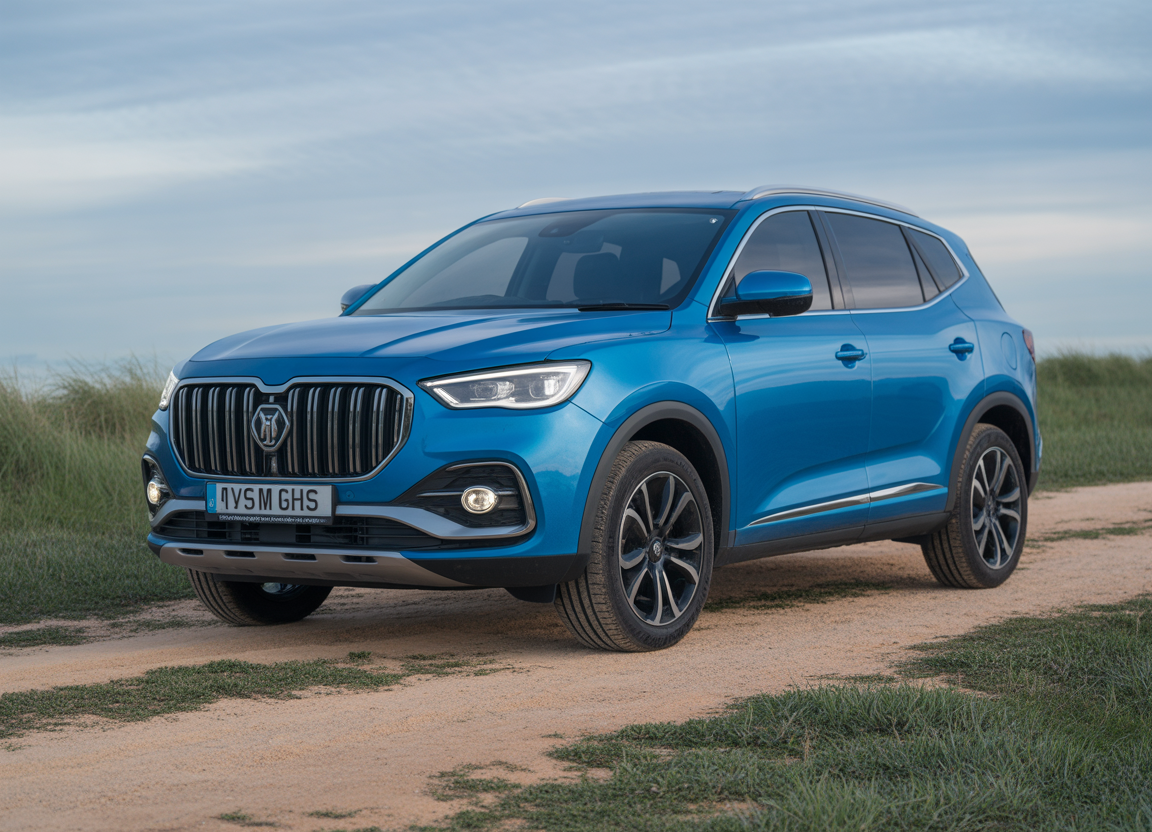
By Gustavoblalmiras • Last updated: March 2026
MG HS owners have reported electrical system malfunctions, such as intermittent faults in the infotainment system, malfunctioning sensors, and warning lights. If you’re considering an MG HS (petrol or PHEV), it’s smart to know what can go wrong before you put money down—especially because many issues show up as “software-y” annoyances that are easy to miss on a quick test drive.
This article is for educational and general information only.
The good news: MG’s value-for-money reputation and long warranty can soften the blow. The not-so-good news: owner satisfaction and reliability feedback is mixed in many markets, and electrical/infotainment complaints come up often.
Below are 11 real-world MG HS problems (plus what symptoms look like, what usually causes them, and the smartest checks to do before you buy).
Quick context: which MG HS are we talking about?
“MG HS” can mean different cars depending on your country and model year. Broadly you’ll see:
- Earlier HS (first generation, widely sold 2019–2024-ish) — petrol and PHEV versions in many markets.
- Newer HS (second generation, launched in 2024 in several regions) — updated cabin/tech and, in some markets, newer PHEV hardware with bigger battery and longer EV range.
Some issues are more common on the earlier cars, but even newer ones can still show “infotainment/ADAS/electrical” quirks. Always judge the exact car in front of you (service history + software updates + recalls) rather than assuming “all HS are the same.”
1) Infotainment glitches: freezing, lag, reboots, random black screens
This is the headline complaint for many owners: screens that freeze, lag, reboot, or feel inconsistent day-to-day. Often it’s not a total hardware failure—more “software stability + integration” (phone connection, audio, camera view, settings menus).
What it looks like
- Random reboot / black screen
- Touch lag (tap… wait… then it responds)
- Bluetooth / CarPlay / Android Auto dropouts
Smart buying check (do not skip)
- Pair your phone, start navigation, switch audio sources, open the reverse camera, and change a few vehicle settings.
- Lock the car, wait 2–3 minutes, unlock and re-check the screen behaviour.
- Ask the dealer/seller for proof of software/infotainment updates (invoice notes matter).
2) “Mystery warning lights” and sensor false alarms
A common pattern in owner reports is multiple warnings appearing at once—even if the root cause is small (low voltage, dirty sensor, calibration issue). This is frustrating because it creates uncertainty: “is it a real fault or a temporary glitch?”
What it looks like
- TPMS / ABS / ESC warnings that appear then disappear
- ADAS alerts in clear weather
- Parking sensors claiming “blocked” when nothing is blocking them
Smart buying check
- Insist on a proper cold start. Watch the dash for warnings during the first 60 seconds.
- In a car park, turn steering slowly lock-to-lock and watch for alerts.
- If warning lights are present, don’t accept “it just does that.” Get a diagnostic scan and walk away if the seller won’t cooperate.
3) Over-sensitive ADAS bongs/alerts (and settings that don’t “stick”)
Even when driver-assistance systems work correctly, some drivers find the alerts too frequent or too fiddly to adjust. That can become a distraction if you’re constantly poking at menus.
What it looks like
- Driver attention warnings triggering too easily
- Lane/assist alerts feeling overprotective for your roads
- Settings resetting after restart
Smart buying check
- Drive your typical route (town + faster road + rough surface if possible).
- Adjust the driver-assist settings once, then stop, lock, and restart to see whether they stay as you set them (where legally allowed).
- Make sure you’re comfortable living with the alert behaviour long-term.
4) Jerky low-speed automatic behaviour (some DCT models)
Some petrol automatic HS versions have been criticised for low-speed hesitation or lurching, especially in stop-start traffic and parking manoeuvres. Dual-clutch gearboxes can feel “grabby” at crawling speeds if calibration isn’t smooth.
What it looks like
- Shudder/hesitation at ~5–20 mph
- Unpredictable take-up on gentle throttle
- Clunky 1st–2nd behaviour in traffic
Smart buying check
- Do a true crawl test (slow queue pace) for at least 5 minutes.
- Try gentle throttle, not just “floor it.” Jerky behaviour often hides unless you drive smoothly.
5) PHEV “flat spot” / power pause around mid speeds
Some HS PHEV drivers describe a noticeable pause or “hole” during certain transitions (often described around mid-speed acceleration). Even if nothing is broken, it can feel awkward—especially if it happens while merging or overtaking.
Smart buying check (PHEV)
- In a safe setting, gently accelerate through ~40–55 mph and feel for hesitation.
- Repeat in different drive modes (EV/Hybrid/Auto) if available.
- If it hesitates sharply or throws warnings, stop the test drive and demand diagnostics.
6) PHEV charging that won’t start, stops early, or behaves inconsistently
Owners have reported scenarios where the HS PHEV appears connected but doesn’t actually charge, or stops after a short time. Sometimes it’s a charger/cable handshake issue. Sometimes it’s car-side settings, updates, or a fault.
What it looks like
- Charge time estimate stuck or unrealistic
- Charger says “connected” but power draw stays near zero
- Only charges reliably on one cable/one charger type
Smart buying check
- If buying a PHEV, ask to see it charge for 10–15 minutes (watch the car and the charger).
- Confirm it charges on your intended setup (wallbox vs “granny” cable), if possible.
- Ask for service notes showing any charging-related software updates or repairs.
7) 12V battery drain (and “weird electronics” when voltage drops)
Low 12V voltage can create a domino effect: infotainment acting up, random warnings, and inconsistent start/ready behaviour. Owner communities frequently discuss HS/PHEV 12V drain symptoms, and some reports suggest the infotainment screen/backlight behaviour can contribute on certain cars.
What it looks like
- Struggles to start after sitting a few days
- Multiple warnings that “clear” after a drive
- Stop/start or “ready” behaviour becoming inconsistent
Smart buying check
- If the car has been standing, insist on a cold start (no jump pack, no “it’s already warmed up”).
- After locking the car at dusk/night, glance through the glass: does any screen/dash glow stay on longer than it should?
- Ask for proof of battery replacement if it’s been an issue.
8) Serious recall: potential fire risk (HS PHEV / HS +EV in some markets)
This is market-specific but important: in Australia, a recall covering certain 2021–2022 MG HS PHEV and HS +EV warned a manufacturing issue could lead to wiring overheating and a potential vehicle fire. Recalls like this are exactly why you should always check your VIN/registration against official recall databases.
Smart buying check
- Run an official recall check for your country/region and confirm completion.
- Ask for paperwork showing recall work was done (date + dealer name).
- If the seller can’t prove it, treat it as “not done” until confirmed by a dealer.
9) DAB/radio module headaches (and updates that change USB behaviour)
Some owners report DAB/radio dropouts or head-unit quirks. The tricky part is that “fixes” can involve software updates or module changes that may also change how USB ports behave, depending on version.
Smart buying check
- Test FM/DAB reception in more than one area.
- Test USB audio + charging, not just “Bluetooth works.”
- If the seller mentions a DAB fix/update, ask what exactly was done and when.
10) Water ingress: panoramic sunroof drains, damp carpets, misting windows
Water leaks don’t just smell bad—they can create electrical problems later. Owners of many SUVs (not just MG) report blocked sunroof drains leading to wet footwells and persistent misting.
What it looks like
- Damp smell, windows fogging more than usual
- Wet carpets (front or rear)
- Water staining near A-pillars/headliner edges
Smart buying check
- Lift mats and press the carpet hard (front and rear). Feel for moisture.
- Inspect headliner edges around the sunroof and A-pillars for staining.
- If buying remotely, request a clear video of carpets + headliner corners after recent rain.
11) HVAC faults: no heat / weak A/C (especially painful on PHEV)
Some owners report heater or A/C faults that require parts and can be inconvenient if availability is slow. On PHEVs, climate components can be more complex than a basic petrol car, so don’t assume “it’ll be cheap.”
Smart buying check
- Run heater to full hot for several minutes and confirm it gets genuinely warm.
- Run A/C on a mild day and confirm it gets properly cold and stays cold at idle.
- Check for any climate-control warnings or messages.
Smart “before you buy” checklist (fast but effective)
On the driveway (10 minutes)
- Cold start and watch for warning lights that don’t clear
- Test infotainment: phone pairing + camera + menus + audio sources
- Heater + A/C test
- Lift mats and check carpets for damp (especially sunroof cars)
On the road (20–30 minutes)
- Stop-start crawl for low-speed gearbox jerkiness
- Watch for ADAS nags/alerts on your normal roads
- Listen for rattles over rough surfaces
- PHEV: repeat 40–55 mph acceleration test in different drive modes
Paperwork (don’t buy without this)
- Recall completion proof (or dealer confirmation)
- Warranty status (what remains, and whether it transfers to you)
- Service history + any recorded software updates
Is the MG HS “bad”? Not necessarily.
The MG HS can be a lot of car for the money, and many reviews praise the value and equipment. Ownership satisfaction often comes down to whether you get a car with stable software, a healthy 12V system, and all recalls/updates completed.
If you want the lowest-risk purchase:
- Prefer cars with documented dealer servicing and update history
- Avoid examples showing recurring warning lights (even if they “go away”)
- PHEV: only buy once you’ve seen it charge reliably
About the author
Gustavoblalmiras writes practical used-car buying guides and ownership checklists at DriversAdvice.com, focused on real-world inspection steps you can do before you commit to a purchase.
Sources & further reading
- MG Motor UK – Warranty
- MG Motor UK – MG HS Plug-in Hybrid (specs/range claims)
- GOV.UK – Check if a vehicle has been recalled (UK)
- Vehicle Recalls (Australia) – MG HS PHEV / HS +EV recall (REC-005652)
- CarExpert – Australia MG HS fire-risk recall summary
- Autocar – MG HS review (generation context)
- Carbuyer – MG HS review (value + reliability concerns context)